Engineering work puts a calculator through its paces. You need a device that handles matrix operations, complex numbers, integrals, and equation systems without breaking a sweat — and one that keeps up when a problem suddenly gets messier than expected. Not every calculator on the market is up to that task.
The right pick depends on where you are in your engineering journey. A student preparing for the FE exam has different needs than a grad student working through advanced linear algebra, and both are looking for something different than an engineer who wants the most processing power money can buy. This guide covers five calculators across a range of price points and use cases so you can find the one that actually fits your workflow.
We tested and researched each option with engineering-specific tasks in mind: matrix math, complex number handling, equation solving, and real-world usability under exam conditions. Here is what we found.
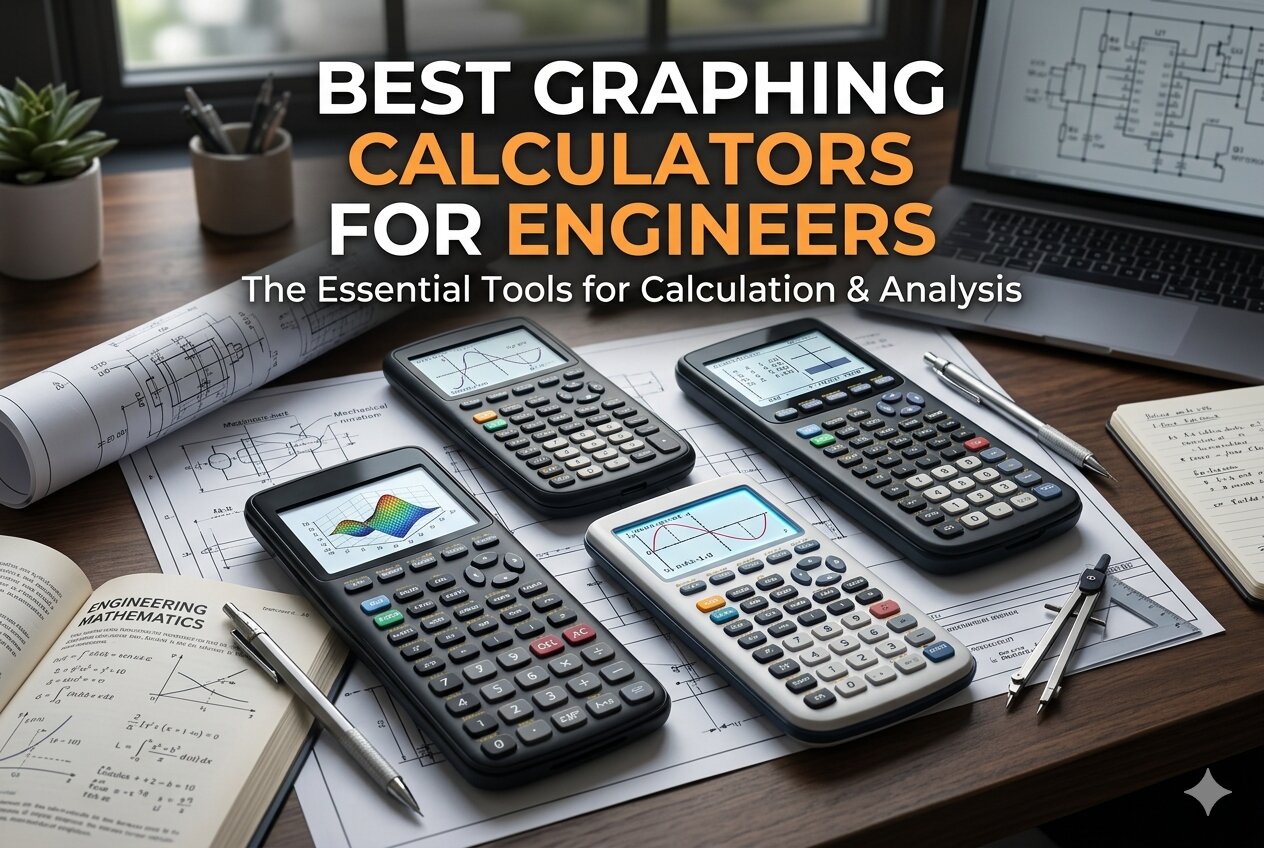 How We Selected the Best Graphing Calculators for Engineers
Our team evaluated dozens of calculators with engineering students and working professionals in mind. We focused on how each device performs under the kinds of demands that show up in real coursework and professional practice, not just general math tasks. Every pick on this list earned its place based on a consistent set of criteria.
- Complex number and matrix support: Engineering problems frequently involve complex impedance, polar conversions, and matrix operations. We looked at how well each calculator handles these without workarounds.
- Display clarity: A calculator that makes you squint during an exam is a liability. We assessed screen readability, display layout, and whether math appears in a natural, textbook-style format.
- Exam approval: Many engineering courses and professional exams have strict calculator policies. We confirmed which models are cleared for the FE exam, AP tests, SAT, and similar assessments.
- Ease of use: Processing power means nothing if the interface fights you. We considered button layout, menu depth, and how quickly someone new to the device can get productive.
- Build quality and portability: Calculators take a beating in backpacks and lab environments. We factored in physical durability, size, and how well each device holds up over time.
- Function depth: From numerical integration and derivatives to polynomial solvers and statistical tools, we checked whether each calculator covers what engineers actually need.
- Value for money: Price matters, especially for students. We weighed what each calculator delivers against what it costs.
Every recommendation on this list comes from a genuine assessment of how useful it is for engineering work specifically. The next section breaks each one down in detail.
Best Graphing Calculators for Engineers (Expert Ranking & Review)
The five calculators below span from a professional-grade powerhouse to a budget-friendly entry point, giving you real options at every level. Each review focuses on what matters most for engineering use.
1. HP Prime G2 — The Professional-Grade Powerhouse with a Touch Screen
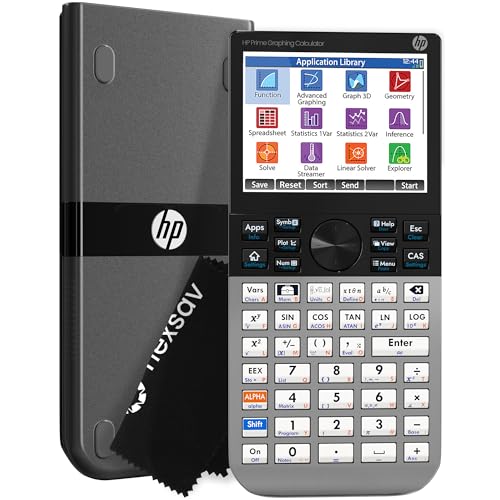
If you want the most capable handheld calculator on the market for engineering work, the HP Prime G2 is the one to beat. It runs a full Computer Algebra System, supports dynamic geometry, advanced graphing, spreadsheet applications, and even RPN — all on a device that fits in a jacket pocket. For engineers who regularly move between symbolic, graphical, and numerical problem-solving, the ability to switch between those views with dedicated keys is a genuine productivity advantage.
The 3.5-inch multi-touch color display is the first thing you notice. You can pinch to zoom on graphs, interact with functions by touch, and even sketch adjustments directly on screen. Engineering students who have used Matlab or Wolfram Mathematica in their coursework will recognize the workflow immediately. One engineering student in our research noted it felt like having a pocket-sized version of those programs available at all times.
The build quality reinforces the premium positioning. The faceplate is brushed metal, buttons have a solid, tactile feel, and the overall device feels dense rather than hollow. It measures 7.25 inches by 3.66 inches, making it a comfortable size for desk use without being bulky in a bag. A slide-on protective cover and a cleaning cloth are included in the box.
On the memory and power side, the HP Prime G2 ships with 256 MB of flash storage for programs, exam configurations, and images. It runs on a rechargeable lithium-ion battery and charges via micro-USB. The calculator is approved for PSAT, SAT, IB, and select AP exams, and it connects wirelessly with optional HP accessories for classroom collaboration. For engineers who want a calculator that grows with them from undergraduate coursework into graduate-level work, this is the one.
Key Specs:
- Display: 3.5-inch multi-touch color LCD
- Memory: 256 MB flash
- CAS: Yes
- Power: Rechargeable lithium-ion battery
- Exam approval: SAT, PSAT, IB, select AP exams
- Dimensions: 7.25″ x 3.66″
- Full CAS with touchscreen interaction makes complex problem-solving fast and intuitive
- Brushed metal build quality stands out from plastic competitors
- Wireless connectivity and mobile app extend functionality beyond the device itself
- Large, high-resolution color display with pinch-to-zoom graphing
- Charging via micro-USB rather than USB-C feels dated
- There is a learning curve for getting the most out of advanced features
2. Texas Instruments TI-36X Pro — The FE Exam Essential That Punches Above Its Price

The TI-36X Pro is not a graphing calculator in the traditional sense, but it belongs on this list because it does something most graphing calculators cannot: it is approved for the Fundamentals of Engineering exam, where graphing calculators are explicitly banned. For engineering students in the thick of FE prep, this is often the most important calculator they will own. And it delivers far more than exam clearance alone.
What sets it apart from other scientific calculators is its four-line MultiView display, which shows multiple calculations on screen at the same time, and its MathPrint feature, which renders fractions, integrals, and other expressions exactly as they appear in textbooks. The interface carries over familiar logic from TI’s graphing calculators, so the learning curve is shorter than it looks. Polynomial solvers, system-of-equations solvers, matrix and vector tools, numerical integration, and numerical derivatives are all on board.
The calculator handles exact math by default, which is a bigger deal than it sounds. Type in the square root of 8, and it returns a simplified radical rather than a decimal approximation. For exams and coursework where exact answers are required, that behavior alone can save you steps and prevent errors that cost points.
At just over 7 inches tall and 5.28 ounces, the TI-36X Pro is one of the slimmer and lighter options on this list. The plastic body and button layout are straightforward, though some users find the chrome-colored arithmetic buttons slightly harder to read at a glance. Battery-powered and compact, it is the kind of calculator you can toss in any bag without a second thought.
Key Specs:
- Display: 4-line MultiView LCD with MathPrint
- Calculator type: Engineering/scientific (non-graphing)
- Solvers: Numeric equation, polynomial, system of linear equations
- Power: Battery (1 lithium metal battery included)
- Exam approval: FE exam, many standardized tests
- Dimensions: 7.22″ x 3.27″
- One of the only advanced scientific calculators approved for the FE exam
- Outputs exact answers including simplified radicals and pi expressions
- Matrix, vector, integration, and derivative tools rival graphing calculators
- Lightweight and compact for everyday carry
- Chrome arithmetic buttons can be difficult to read in low light
- No graphing capability
3. Casio fx-115ES Plus 2nd Edition — The Best Value Scientific Calculator for Engineering Coursework

Few calculators deliver as much function per dollar as the Casio fx-115ES Plus 2nd Edition. With over 280 built-in functions, a Natural Textbook Display that shows fractions and equations exactly as written on paper, and solar-plus-battery power that essentially means you never worry about running out of charge, this is an engineering student’s practical everyday workhorse. It covers trigonometry, statistics, calculus, complex numbers, matrix and vector operations, simultaneous equations, and quadratic and cubic solvers.
The display quality is one of its strongest features. Equations appear in the same format you would write them by hand, which makes checking your work significantly easier during long problem sets. At 9 inches by 5.5 inches with a compact 6.5-centimeter screen, the calculator has a comfortable footprint without feeling cramped. The button layout is intuitive once you spend a few sessions with it.
We found the multi-replay function particularly useful for engineering problem chains. You can step back through previous calculations, edit expressions mid-stream, and recalculate without re-entering everything from scratch. That kind of workflow fits naturally into the kind of iterative problem-solving engineers do, whether you’re checking circuit values or running through a fluid mechanics problem set.
One honest limitation: there is no quick toggle between fixed-point and scientific notation display. Switching requires navigating the mode settings, which adds a few extra button presses in situations where you want to flip between formats quickly. For students who will eventually step up to a full graphing calculator, this is an excellent bridge device that covers the vast majority of what engineering coursework requires.
Key Specs:
- Display: 16-digit, 4-line Natural Textbook Display LCD
- Functions: 280+
- Power: Solar Plus with battery backup (1 LR44 included)
- Operations: Complex numbers, matrices, vectors, integration, simultaneous equations
- Screen size: 6.5 cm
- Dimensions: 9″ x 5.5″
- Solar-plus-battery power means virtually zero downtime
- Natural Textbook Display makes equation entry and review clean and accurate
- 280+ functions cover nearly every engineering course requirement
- Outstanding value for the feature set
- No quick scientific notation toggle
- No graphing capability
4. Casio fx-9750GIII — The Budget-Friendly Graphing Calculator That Handles Engineering Math

The Casio fx-9750GIII makes a strong case for being the best entry-level graphing calculator for engineering students who need complex number and matrix support without spending over a hundred dollars. An electrical engineering professor whose input we reviewed put it plainly: this is the least expensive calculator they consider truly engineering-capable, because it handles complex matrices and polar number entry in a way that more popular alternatives like the TI-84 simply do not.
The Natural Textbook Display means expressions appear on screen the way you would write them, and the 12.8-centimeter screen gives you enough room to view larger matrices without the cramped feel you get on smaller devices. Graph plotting, vectors, probability distributions, spreadsheet functions, and eActivities are all included. The calculator also supports MicroPython programming directly on the device, which is increasingly useful for engineering students who want to automate repetitive calculations or explore algorithm logic without switching to a computer.
USB connectivity is a practical touch. You can store, transfer, and share programs between the calculator and a PC using the included cable, which makes it easy to back up custom programs or load new ones before an exam. The device runs on four AAA batteries and has held up impressively well in extended use, with users reporting strong battery life even under daily heavy use for several months.
The graphing engine is slower and lower resolution compared to premium options, and the calculator does not include CAS support. For pure graphing tasks, those limitations are real. But for engineering course work where the priority is handling complex math, linear algebra, and equation solving reliably at an accessible price, the fx-9750GIII earns its place.
Key Specs:
- Display: Natural Textbook Display LCD, 12.8 cm screen
- Memory: 3 MB flash
- Power: 4 AAA batteries (included)
- Programming: MicroPython support
- Exam approval: AP, SAT, ACT, IB
- Dimensions: 6.6″ x 3.25″
- Handles complex numbers and matrices in a way most budget graphing calculators do not
- MicroPython programming support adds genuine engineering utility
- USB connectivity for easy program transfer and storage
- Strong battery life backed by real-world use
- No CAS support
- Graphing resolution and speed are limited compared to higher-end models
5. CATIGA CS-121 — The Accessible All-in-One for Students on a Tight Budget
UNAVAILABLEThe CATIGA CS-121 positions itself as an all-in-one scientific and graphing calculator at a price point that undercuts every other option on this list. It supports over 360 functions across multiple modes, including fractions, complex numbers, statistics, linear regression, standard deviation, and variable solving. For students who need a capable calculator for algebra, geometry, trigonometry, and introductory engineering courses without spending a lot, the CS-121 provides a workable starting point.
The physical design is compact and ergonomic at 7 by 3.3 inches, and the layout is designed for comfortable single-hand use during long study sessions or in test environments. An anti-drop body adds a layer of durability for everyday handling, and a protective case is included to guard the screen and buttons during transit. For students carrying the calculator in and out of class daily, that kind of built-in protection has practical value.
Where the CS-121 earns genuine credit is in its breadth of function access. Graphing and formula display work simultaneously on screen, which helps you visually connect an equation to its graph without toggling between views. The 3-inch LCD display is functional, though it is less vivid than the color screens found on the HP Prime and Casio fx-9750GIII.
It is worth being straightforward about the limitations. Customer feedback shows mixed results with the graphing functions specifically, and some users have found the interface takes real effort to master. This is not the calculator for advanced engineering courses involving heavy matrix work or complex number calculations. For introductory coursework, high school math, and budget-focused buyers who need a starting point, the CS-121 offers a reasonable option with a one-year warranty and responsive manufacturer support.
Key Specs:
- Display: 3-inch LCD
- Functions: 360+
- Calculator type: Scientific/graphing
- Power: Battery powered
- Build: Anti-drop body with protective case included
- Dimensions: 7″ x 3.3″
- Over 360 functions at one of the lowest price points in the category
- Simultaneous graph and formula display aids visual learning
- Protective case included out of the box
- Graphing functionality can be unreliable for advanced use cases
- Not suitable for upper-level engineering courses requiring robust matrix or complex number handling
Best Graphing Calculators for Engineers: A Quick Rundown
- HP Prime G2: Best overall for engineers who want maximum computing power, a full CAS, and a color touchscreen in one device
- Texas Instruments TI-36X Pro: Best for FE exam prep and courses where graphing calculators are not permitted
- Casio fx-115ES Plus 2nd Edition: Best value scientific calculator for engineering coursework with solar-plus-battery power
- Casio fx-9750GIII: Best budget graphing calculator with genuine complex number and matrix capabilities for engineering
- CATIGA CS-121: Best entry-level option for students on a tight budget tackling introductory math and engineering courses
Final Thoughts
Choosing a calculator for engineering comes down to being honest about what you actually need it to do. If your coursework involves heavy matrix operations, complex impedance, and equation systems, you need a device that handles those tasks reliably, not just one that lists them in the feature description. Display quality, button feedback, and exam compatibility all matter more in practice than they might seem when you are shopping.
Your budget and your stage in your engineering education should drive the decision. A first-year student and a senior preparing for professional licensure are not shopping for the same tool. Pick the calculator that fits where you are right now, covers the exams and courses ahead of you, and gives you room to grow. The right choice is the one you will actually reach for every time a problem gets hard.