Picking the right calculator for college can feel like more pressure than it should. Your professor might require a specific type. Your exam board might have strict rules. And you really don’t want to drop a chunk of your student budget on the wrong one.
That’s why we put together this guide. Whether you’re heading into calculus, statistics, linear algebra, or general college math, the calculator you carry matters more than most people realize. The right one saves you time, reduces errors, and lets you focus on understanding the math instead of fighting the tool.
We tested and researched five calculators across a range of price points and feature sets, so you can walk away knowing exactly which one fits your situation.
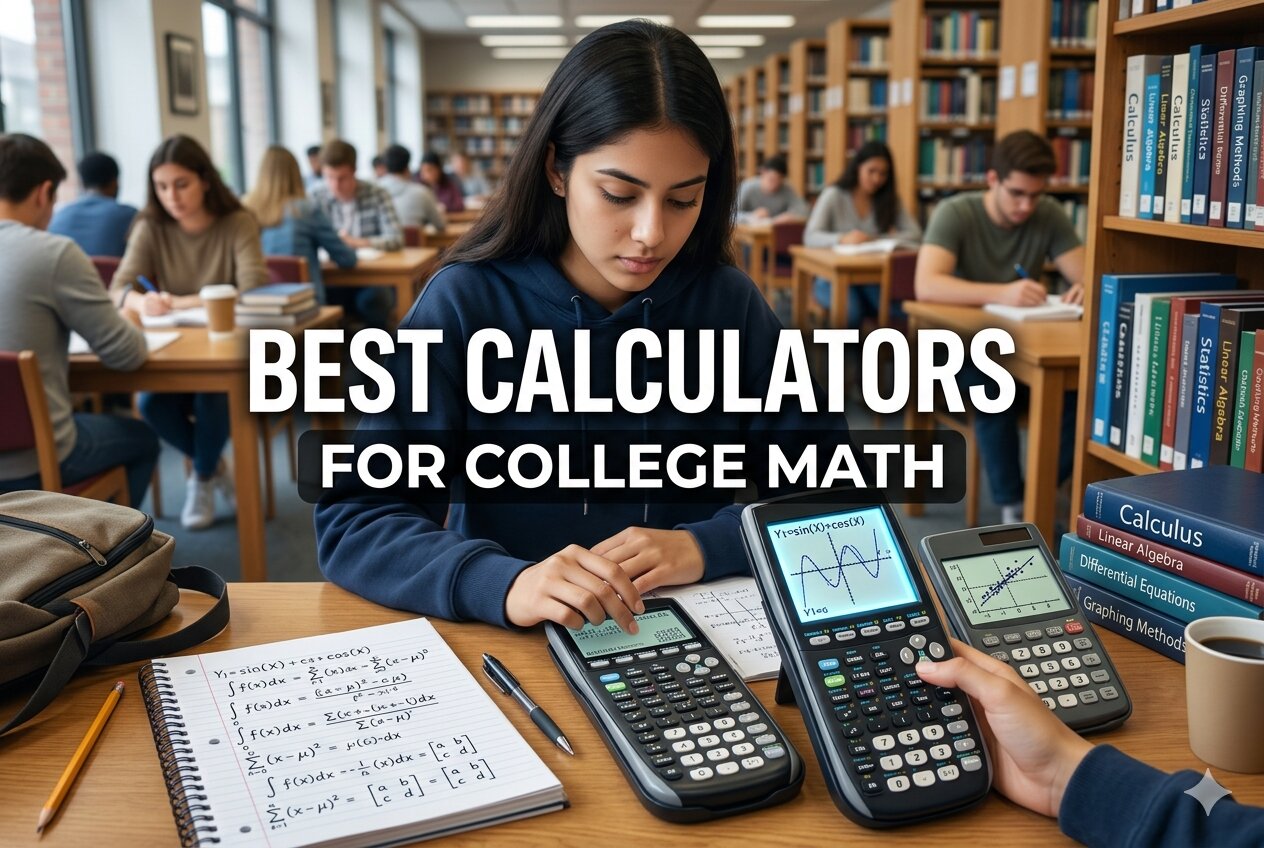 How We Selected the Best Calculators for College Math
Our team spent time evaluating each calculator across real academic scenarios, from intro algebra to AP-level calculus and engineering coursework. We didn’t just read spec sheets. We looked at how these devices actually perform in the hands of students working through problems under pressure.
Here are the factors we weighed most heavily:
- Exam eligibility: Whether the calculator is approved for standardized tests like the SAT, ACT, AP, and IB exams.
- Function depth: The range of mathematical functions available, including support for calculus, statistics, matrices, and complex numbers.
- Display clarity: How easy it is to read equations and results, especially during long study sessions or under exam lighting.
- Build quality and portability: How well the device holds up to daily backpack use and whether it’s comfortable to carry and hold.
- Value for money: Whether the price makes sense relative to what the calculator can do for a college student.
- Ease of use: How quickly a student can get productive without a steep learning curve.
- Exam-safe design: Whether the calculator avoids prohibited features like internet access or CAS modes in contexts where those are banned.
Every pick on this list earned its place by performing well across most of these factors. Some excel in one area more than others, and that’s exactly what the reviews below will help you sort out.
Best Calculators for College Math (Expert Ranking & Review)
The five calculators below cover everything from serious graphing needs to budget-friendly scientific options. Here’s what you need to know about each one before you buy.
1. Texas Instruments TI-83 Plus: The Gold Standard That Still Delivers

There’s a reason this calculator has been in college classrooms for decades. The TI-83 Plus is the workhorse of academic math, and it remains one of the most widely recognized graphing calculators at every level of higher education. If your professor asks you to have a graphing calculator ready, this is the one they almost certainly have in mind.
It handles an impressive range of functions. You can store and graph up to 10 functions, analyze scatter plots, run regression analysis, and work through calculus, statistics, trigonometry, and financial math all on one device. We found that the split-screen view, which shows an equation alongside its graph and coordinates at the same time, is genuinely useful in courses where visualizing relationships is half the battle.
The 64 x 96 pixel LCD display shows 8 lines and 12 characters at a time, which is enough to keep track of multi-step problems without constantly scrolling. The key layout is logical and well-spaced, and the simple programming language built into the device lets you create your own conversion programs when needed.
One thing worth knowing: the TI-83 Plus is approved for the SAT, PSAT/NMSQT, ACT, AP, IB, and Praxis exams. For students who need a single calculator that works in class and on test day, that matters a great deal.
Key Specs:
- Display: 64 x 96 pixel LCD, 8 lines x 12 characters
- Memory: 24KB RAM, 160KB Flash ROM
- Power: 4 AAA batteries plus 1 lithium backup
- Dimensions: 7.3″ x 3.5″
- Exam approved: SAT, ACT, AP, IB, Praxis
- Universally recognized and required by many college courses
- Broad function set covering calculus, stats, and finance
- Exam-approved across major standardized tests
- Older display technology compared to newer models
- No backlight, which can be limiting in dim environments
2. Casio fx-9750GIII: The Engineering-Ready Graphing Calculator That Punches Above Its Price

The Casio fx-9750GIII is a compelling option for students who want graphing capability and engineering-grade math functions without paying top dollar for a brand-name TI. It comes packed with tools that go well beyond basic graphing, making it particularly strong for courses that involve matrices, complex numbers, and probability distributions.
What sets this calculator apart is its Natural Textbook Display. Expressions appear on screen exactly the way they’d look in your textbook, including proper fraction notation, roots, and exponents. That alone makes it far easier to catch errors and follow your own work through multi-step problems.
We found the fx-9750GIII especially capable in linear algebra contexts. It handles complex matrix operations cleanly, and the 3MB of flash memory means there’s plenty of room for programs, data, and eActivities. One standout feature is MicroPython support. You can write and run Python programs directly on the calculator, which is a genuine advantage for STEM students who are already learning to code.
The USB connectivity is another practical bonus. You can transfer files between the calculator and your computer, store programs, and share work, which makes it more useful across the full arc of a college course.
Key Specs:
- Display: Natural Textbook Display, LCD
- Memory: 3MB Flash
- Power: 4 AAA batteries (included)
- Dimensions: 6.6″ x 3.25″
- Exam approved: AP, SAT, ACT, IB
- Natural Textbook Display makes equations easier to read and verify
- Strong matrix and complex number support for engineering courses
- MicroPython programming built in
- USB connectivity for file transfer
- Keys have a mushy feel with limited tactile feedback
- Graphing screen is not backlit
3. IPepul Scientific Calculator with Notepad: The Budget Pick That Actually Thinks Ahead

Not every college math course requires a graphing calculator. For students in algebra, basic statistics, or general education math requirements, a solid scientific calculator at a fraction of the price is often the smarter choice. The IPepul Scientific Calculator with Notepad fits that bill, and it adds something genuinely clever: a built-in LCD writing tablet on the cover.
The notepad feature lets you jot down working steps, intermediate values, or quick reminders right beside the calculator while you work. It’s reusable, wipes clean with one button, and keeps your notes private. For students who hate losing track of steps mid-problem, this is a surprisingly practical design choice.
The calculator itself covers the core functions you’d expect, including trigonometry, fractions, and basic algebra, on a 10-digit LCD screen. At just 120 grams, it fits easily in a bag or pocket and is genuinely easy to carry across a full day of classes.
One honest caveat: the notepad’s writing visibility is lighter than the product photos suggest. It works, but don’t expect the thick, bold lines shown in marketing images. The calculator functions themselves, however, are reliable and responsive.
Key Specs:
- Display: 10-digit LCD, 2.5-inch screen
- Notepad: Built-in reusable LCD writing tablet
- Power: 2 button batteries (included)
- Weight: 120g
- Dimensions: 6.5″ x 3.27″
- Built-in reusable notepad is genuinely useful for showing work
- Very lightweight and portable
- Good value for non-graphing college math courses
- Notepad lines are dimmer than advertised
- Not suitable for courses requiring graphing functions
4. Mr. Pen Scientific 2 Line Calculator: The No-Frills Option for Students on a Tight Budget
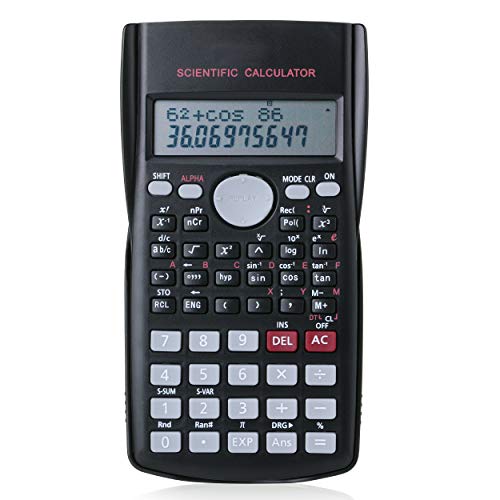
Sometimes you just need a reliable scientific calculator and you need it fast, without spending much. The Mr. Pen Scientific 2 Line Calculator targets exactly that need. At its price point, it offers 240 scientific functions and a 2-line display that shows your input and result simultaneously, which is a step up from basic single-line calculators.
The 10+2 digit widescreen display is easy to read, and the hard protective cover is a thoughtful touch for a calculator in this price range. It keeps the keys and screen protected during the inevitable bumps of daily campus life. The body is designed with ergonomics in mind, fitting comfortably in one hand.
We should be honest about the limitations here. Some units have shown reliability issues, and a handful of buyers have reported receiving defective devices. The battery compartment design has also drawn criticism in some cases. This is a solid pick if you need something functional and affordable right now, but it’s not a calculator you should count on for four years of heavy use.
For students in introductory courses or anyone who needs a backup calculator, it serves its purpose well. For your primary calculator in demanding college math classes, you may want to consider spending a bit more.
Key Specs:
- Display: 2-line, 10+2 digit widescreen LCD
- Functions: 240 scientific functions
- Power: 1 LR44 battery (included)
- Cover: Hard protective cover
- Dimensions: 6″ x 3.3″
- 240 functions at a very accessible price
- Hard cover protects the device during daily use
- 2-line display shows input and output together
- Some units have reported reliability issues
- Not built for long-term heavy academic use
5. CATIGA CS-121 Scientific and Graphing Calculator: The Mid-Range Wild Card

The CATIGA CS-121 sits in an interesting spot. It’s priced in the mid-range and markets itself as a hybrid scientific and graphing calculator, offering over 360 functions including complex numbers, statistics, linear regression, fractions, and standard deviation, all on a 3-inch LCD screen.
The anti-drop body and included protective case are genuinely useful for students who are hard on their gear. At 7″ x 3.3″, it’s sized similarly to a standard TI graphing calculator, so it doesn’t feel out of place in a college setting. Multiple color options make it easy to personalize.
That said, it’s worth approaching the graphing functions with measured expectations. We found that the graphing capability, while present, is not as polished or reliable as what you’d get from the TI-83 Plus or the Casio fx-9750GIII. Some students have also found the function layout less intuitive, especially when trying to access more advanced features. If your coursework leans heavily on graphing, this might not be the strongest choice.
Where the CATIGA CS-121 makes the most sense is for students in courses that need a broad range of scientific functions but don’t depend on graphing as a core feature. It delivers strong value for that use case, and the 365-day limited warranty gives you some peace of mind.
Key Specs:
- Display: 3-inch LCD
- Functions: 360+, including statistics, regression, complex numbers
- Power Source: Battery
- Dimensions: 7″ x 3.3″
- Warranty: 365 days
- Wide function range at a mid-range price
- Durable anti-drop design with protective case
- Good fit for general college math courses
- Graphing functions are less reliable than dedicated graphing calculators
- Learning curve on advanced function navigation
Best Calculators for College Math: A Quick Rundown
- Texas Instruments TI-83 Plus: Best overall for college math, universally accepted, and exam-approved across all major tests.
- Casio fx-9750GIII: Best for engineering and STEM students who need strong matrix, complex number, and Python support.
- IPepul Scientific Calculator with Notepad: Best budget pick for non-graphing math courses, with a clever built-in notepad.
- Mr. Pen Scientific 2 Line Calculator: Best ultra-budget option for introductory or backup use.
- CATIGA CS-121: Best mid-range all-rounder for students who want graphing capability without a premium price tag.
Final Thoughts
The right calculator for college math depends on what your courses actually demand. Graphing calculators are worth the investment if your program covers calculus, statistics, or engineering math at any depth. If you’re in more general courses or on a strict budget, a capable scientific calculator will carry you through without the extra cost.
Think about where you’ll use it most, whether exam approval matters for your program, and how long you need it to last. A calculator is a tool you’ll reach for every day, so buy the one that fits your real needs, not just the cheapest option or the most expensive one on the shelf. The right pick is the one that gets out of your way and lets you focus on the math.