Picking the right calculator for business school feels deceptively simple until you’re sitting in a finance exam and your device can’t handle time value of money problems. Or you’re knee-deep in bookkeeping practice and realize you have no paper trail to check your work. The wrong tool costs you time, confidence, and sometimes points.
This guide covers five calculators that business students actually need, from dedicated financial tools to desktop printing machines built for heavy number crunching. We tested and compared each one across the functions that matter most in a business program.
By the time you finish reading, you’ll know exactly which calculator fits your coursework, your workflow, and your budget. Let’s get into the lineup.
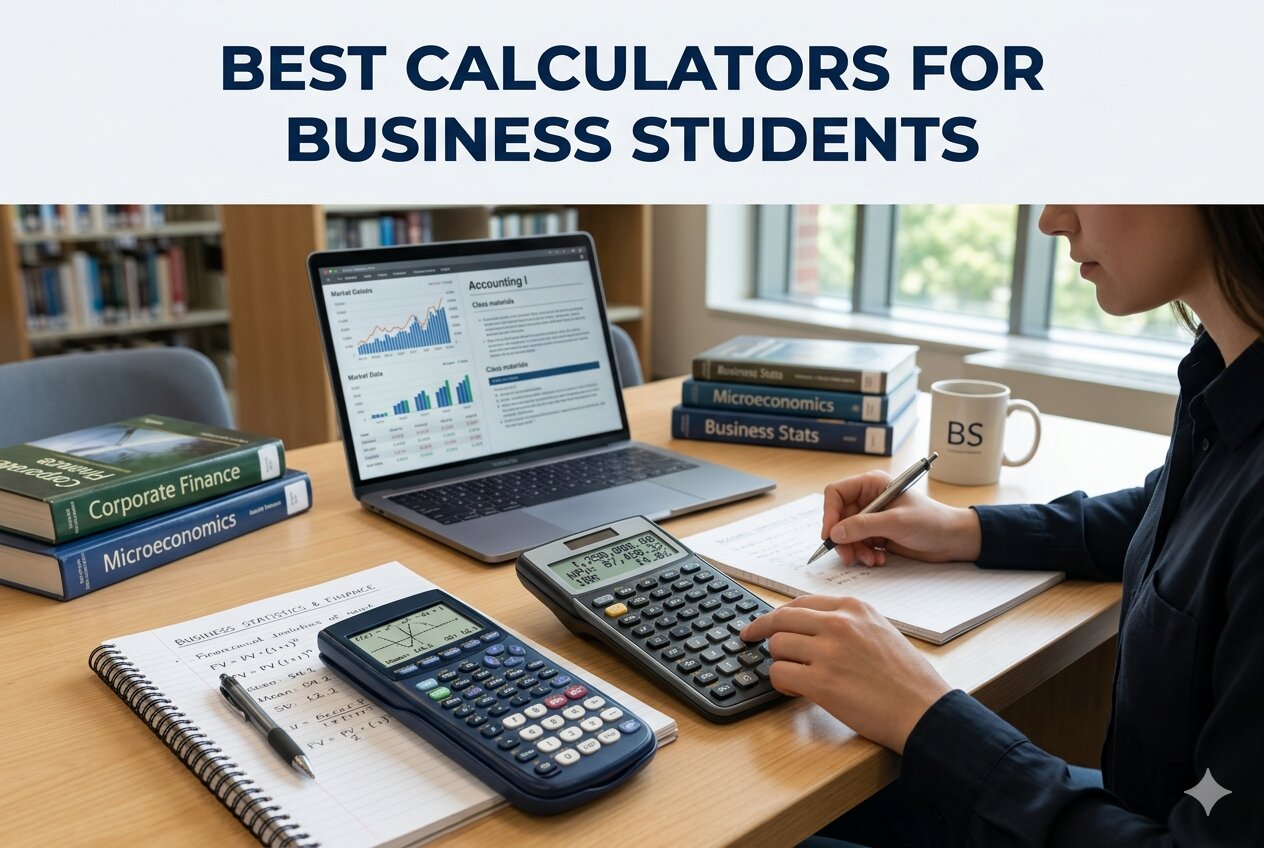 How We Selected the Best Calculators for Business Students
Our team spent time evaluating dozens of options across different business use cases, from undergraduate accounting courses to professional exam prep. We narrowed the list based on hands-on testing and a close look at real-world performance across several key factors.
- Exam eligibility: Whether the calculator is approved for professional exams like the CFA, FRM, or CMA, which matters enormously for students on that track.
- Financial function depth: The breadth of built-in functions covering TVM, NPV, IRR, amortization, and statistical analysis.
- Display clarity: How easy it is to read numbers quickly, especially during timed exams or long calculation sessions.
- Build quality and durability: Whether the device holds up through years of daily academic and professional use.
- Power reliability: Whether the calculator uses battery, solar, AC, or a combination, and how that affects portability and uptime.
- Ease of data entry: Key spacing, key feel, and whether the layout supports fast, accurate input without relearning your muscle memory.
- Value for money: Whether the price is justified by the features, especially for students on a tight budget.
Every product on this list earned its spot by performing well across most of these factors. The picks that follow represent a well-rounded set of options for business students at every level.
Best Calculators for Business Students (2026 Expert Review)
Below you’ll find five in-depth reviews covering everything from compact financial calculators to full-featured desktop printing machines. Each review focuses on what the product actually does well and where it falls short, so you can match the right tool to your specific needs.
1. Texas Instruments BA II Plus: The Gold Standard for Finance Students

If you’re studying finance, accounting, or economics at the university level, or preparing for a professional certification, the Texas Instruments BA II Plus is the one calculator that keeps coming up. It has been the go-to financial calculator for serious students and working professionals for decades, and that reputation is fully earned.
The BA II Plus handles the calculations that define business coursework. Time value of money, cash flow analysis, NPV, IRR, amortization, bond pricing, depreciation, and compound interest are all built in. Worksheet mode guides you through complex multi-variable problems step by step, storing previous entries in memory so you don’t have to re-enter data from scratch.
For students preparing for credentialed exams, this is one of the only calculators approved for the CFA, FRM, and CMA exams. That approval alone makes it a near-mandatory purchase for anyone on that career path. We found the prompted display particularly useful for financial worksheets, showing you both the current variable and its label so you always know where you are in a calculation.
The build quality is solid plastic with a protective slide case included. It’s compact and light enough to carry easily, though the keys do require a firm press to register consistently. Most users adapt quickly after a short learning curve.
Key Specs:
- Display: 10-digit alphanumeric, 1-line LCD
- Power: 1 CR123A battery (included)
- Dimensions: 6.49 x 2.99 x 0.69 inches
- Weight: 3.8 ounces
- Exam approved: CFA, FRM, CMA
- Covers every major financial function a business student needs
- Approved for professional certification exams
- Compact, portable, and durable enough for years of use
- Keys require firm pressure, which can slow you down at first
- Single-line display means less context visible at once
2. Sharp EL-334WB: The Best Value Desktop Calculator for Everyday Business Math

Not every business student needs a financial calculator loaded with TVM worksheets. For coursework in retail math, basic accounting, or any subject where speed and accuracy on straightforward calculations matter more than advanced financial functions, the Sharp EL-334WB punches well above its price.
The display is one of the most impressive things about this calculator for the money. The 4-inch extra-large fixed LCD with kickstand is genuinely easy to read at a glance, even in lower light conditions. Numbers are crisp, digit spacing is generous, and the kickstand lets you tilt the screen to a comfortable viewing angle on your desk.
Where the EL-334WB really shines for business students is its cost/sell/margin key set. Enter any two variables and the third appears automatically. For retail management, marketing, or introductory finance courses, this feature alone saves meaningful time during problem sets. We also found the double-zero key and grand total function genuinely useful for rapid data entry and running totals.
Twin power operation means this calculator runs on solar energy with a battery backup for low-light situations. In practice, you can go years without ever worrying about the battery, which is one less thing to think about during exam season. One reviewer reported their unit lasting six years before showing any signs of wear.
Key Specs:
- Display: 12-digit extra-large LCD with kickstand
- Power: Solar with LR44 battery backup (included)
- Dimensions: 6.6 x 4.4 inches
- Weight: 0.31 pounds
- Memory: 4-key independent memory
- Exceptional display size and clarity for the price
- Cost/sell/margin keys ideal for business coursework
- Solar powered with battery backup means virtually zero maintenance
- Very affordable compared to feature-comparable alternatives
- No advanced financial functions like TVM or cash flow analysis
- Not approved for professional certification exams
3. Casio HR-170RC Plus: The Desktop Printing Calculator That Earns Its Keep
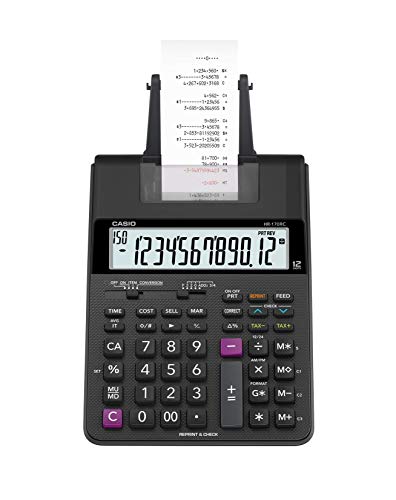
There is something about having a printed paper record that no screen can fully replicate. For students in accounting, bookkeeping, or any course that requires you to verify long columns of figures, the Casio HR-170RC Plus brings that paper trail back in a compact, well-priced package.
The HR-170RC prints at 2.0 lines per second using dual-color output, black for positive values and red for negative ones. That color distinction makes it fast to scan a printed tape and catch sign errors without reading every number carefully. The Check and Correct function lets you review and fix up to 150 steps before committing anything to paper, and the re-print and after-print functions let you choose when to print rather than generating a running tape of every single keystroke.
Business-specific keys include cost/sell/margin, mark-up and mark-down, tax calculation, and currency exchange. The clock and calendar function prints the time and date at the top of any tape, which is a small but genuinely useful feature for documentation and audit purposes. The 12-digit LCD is large and the plastic keys are well-spaced, making extended data entry comfortable.
This calculator runs on both battery and AC power, giving you flexibility between desk use and portability. We found the compact footprint (noticeably smaller than industrial adding machines) to be a practical advantage for anyone with a smaller workspace or shared desk setup.
Key Specs:
- Display: 12-digit LCD
- Printing speed: 2.0 lines per second, dual-color (black/red)
- Power: AC adapter or 4 AA batteries
- Dimensions: 11.61 x 6.49 inches
- Check and Correct: up to 150 steps
- Dual-color printing makes error checking fast and easy
- Check and Correct up to 150 steps before printing
- Business functions including tax, markup, markdown, and currency exchange
- Dual power (AC and battery) adds flexibility
- Requires paper rolls and ink ribbons, which add ongoing maintenance
- Screen has no backlight, which can be a drawback in dim environments
4. Sharp EL-1501: The Paperless Printing Calculator for the Modern Student

The Sharp EL-1501 solves a real frustration. You want the reviewing ability of a printing calculator, the kind that lets you scroll back through your entries and catch mistakes, but you don’t want the mess of ink, ribbons, and paper rolls. That is exactly the gap this calculator fills.
Instead of printing to tape, the EL-1501 uses a 5-line scrolling LCD that stores up to 300 entries. You get the full history of your calculation on screen, reviewable at any time, without feeding paper through a machine. The main display is a large 12-digit LCD that is bright and easy to read from any angle. We found the combination of a primary display plus the scrolling history screen to be genuinely intuitive once you get used to it.
This calculator is completely cordless, running on 4 AA batteries (included) with an auto-shutoff function to preserve battery life. For students who move between classrooms, libraries, and study rooms, not being tethered to a wall outlet makes a real difference in daily use. Cost/sell/margin keys are included for quick profit margin work, and the color-coded key groups make it easier to find the function you need without hunting.
It is worth noting that this calculator uses adding machine logic rather than standard calculator logic. The plus sign must be pressed after each entry when summing, not the equals sign. This takes some adjustment if you’re used to a standard calculator layout, but users who grew up on adding machines will feel right at home from the start.
Key Specs:
- Display: 12-digit primary LCD plus 5-line scrolling history (stores 300 entries)
- Power: 4 AA batteries (included), battery life approximately 6 months with normal use
- Dimensions: 8.5 x 5.75 inches
- Weight: 1.1 pounds
- Auto-shutoff: Yes
- Paperless entry history eliminates ink and paper costs entirely
- Fully cordless for easy portability between workspaces
- Cost/sell/margin keys included
- Color-coded key groups reduce input errors
- Uses adding machine logic, not standard calculator logic, which requires adjustment
- Some users report button responsiveness issues over extended use
5. Sharp EL-1801V: The Heavy-Duty Printing Calculator for Serious Accounting Work
When you need a printing calculator that can keep up with demanding, high-volume work day after day, the Sharp EL-1801V is the one that belongs on your desk. This is the number-one best seller in printing calculators for good reason. It combines a genuinely bright display, fast printing, and a well-thought-out physical design into a calculator that feels like a professional-grade tool from the moment you start using it.
The 12-digit fluorescent display is a standout feature. Unlike standard LCD screens, the VFD (vacuum fluorescent display) glows with a clear green light that remains sharp and readable from any angle, even in a dimly lit room. For long study sessions or extended accounting work, that visibility reduces eye strain meaningfully. Printing runs at 2.5 lines per second with black for positive values and red for negative ones, making it slightly faster than the Casio HR-170RC Plus in this roundup.
Key design is where the EL-1801V separates itself from cheaper alternatives. The keys are ergonomically shaped to follow the natural curve of your fingers, which translates to faster, more accurate data entry during extended sessions. Color-coded key groups (red for subtraction, yellow for tax, blue for memory, gray for standard functions) let your fingers navigate by instinct rather than by reading labels. We found this layout noticeably reduces input errors after a brief familiarization period.
The enclosure is a combination of metal and plastic, giving it a heavier, more stable feel on a desk during fast input. It is AC-powered only, so it is best suited as a permanent desk setup rather than a portable device. The included tape roll is quite small, so plan to stock up on 2.25-inch paper rolls separately before diving into serious use.
Key Specs:
- Display: 12-digit VFD (fluorescent), bright green
- Printing speed: 2.5 lines per second, dual-color (black/red)
- Power: AC adapter
- Dimensions: 10 x 7.6 inches
- Weight: 2 pounds
- Enclosure: Metal and plastic combined
- Bright fluorescent display is exceptionally clear in all lighting conditions
- Fastest print speed in this roundup at 2.5 lines per second
- Ergonomic key design and color-coded layout reduces errors during fast input
- AC-powered only, so not portable
- Comes with a very small paper roll, requiring immediate supply stock-up
Best Calculators for Business Students: A Quick Rundown
- Texas Instruments BA II Plus: Best for finance and accounting students preparing for professional certification exams
- Sharp EL-334WB: Best value desktop calculator for everyday business math and coursework
- Casio HR-170RC Plus: Best compact printing calculator with paper tape for bookkeeping and accounting verification
- Sharp EL-1501: Best paperless printing calculator for students who want entry history without ink or paper
- Sharp EL-1801V: Best heavy-duty printing calculator for high-volume desk-based accounting work
Final Thoughts
The best calculator for a business student depends almost entirely on what your courses actually demand. A dedicated financial calculator with TVM and cash flow functions is non-negotiable if you’re in a finance-heavy program or working toward a professional credential. For accounting-focused students, a printing calculator with a reliable paper trail or a scrollable history screen will save you from countless re-entry errors. And for students who just need a dependable, easy-to-read desktop tool for everyday math, a well-built business calculator with solar power and solid key feel will serve you better than you’d expect at its price point.
Take stock of your specific needs before committing. Think about whether you need portability or a permanent desk setup, whether exam approval matters for your goals, and whether you want the simplicity of a traditional layout or the confidence of a printed record. Any of the five options in this guide will serve a business student well. The right one for you is simply the one that fits your workflow most naturally.