Picking the right calculator for engineering work feels bigger than it should. You want something that handles calculus, matrices, and complex numbers without making you fight the interface every time you punch in a problem. And if you’re studying for the FE exam or grinding through late-night coursework, the wrong tool can cost you points and hours.
That’s why we put this guide together. We pulled the top engineering calculators on the market right now and tested them against the kinds of problems actual engineering students and working professionals deal with every day.
By the time you finish reading, you’ll know exactly which calculator fits your workflow, your budget, and your exam rules. No guesswork, no regrets.
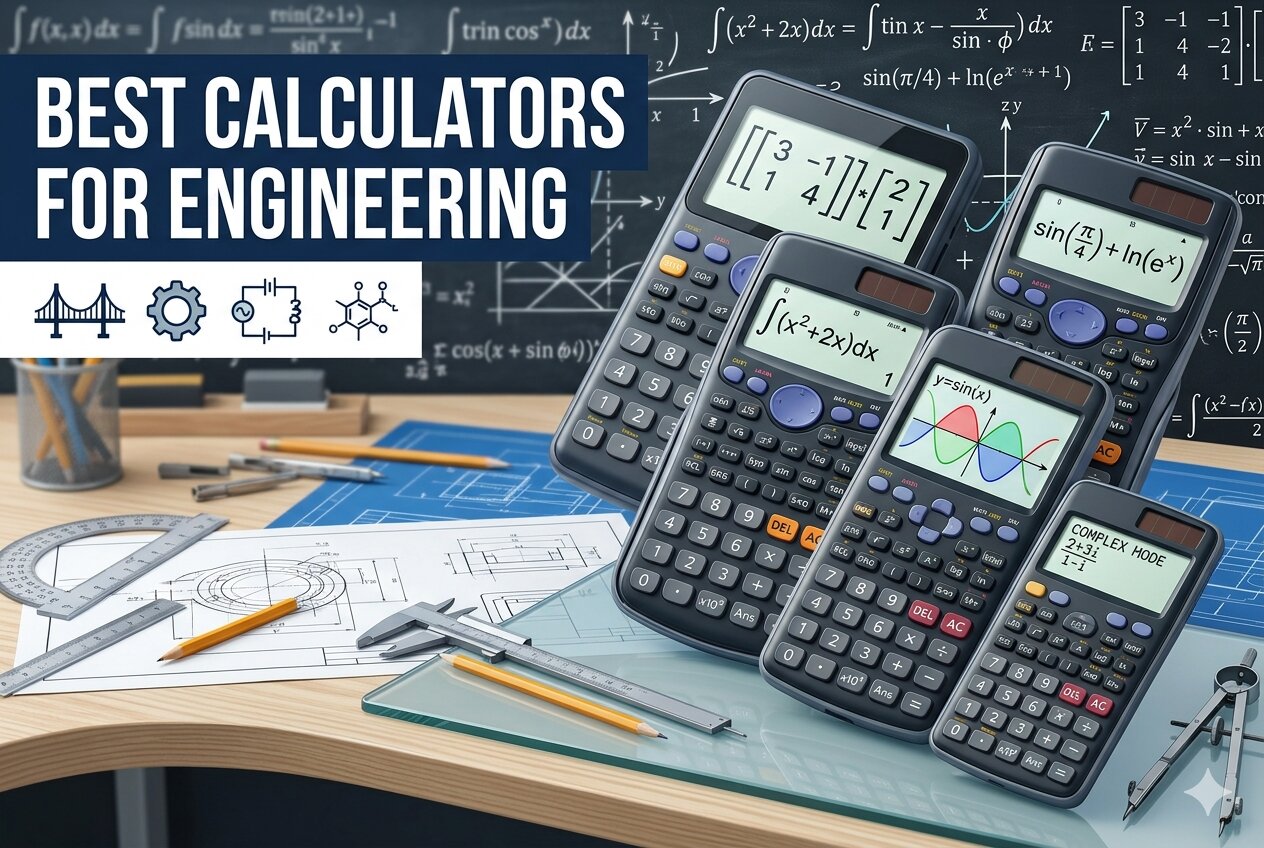 How We Selected the Best Calculators for Engineering
Our team spent weeks putting each of these calculators through real engineering scenarios, from statics problems and circuit analysis to matrix operations and definite integrals. We also cross-checked exam approval lists, compared input methods side by side, and tracked how each one handled repeated daily use.
Here are the factors we weighed most heavily:
- Function depth. We looked at how far each calculator could take you, from basic trig all the way to numerical integration, equation solvers, and matrix math.
- Display clarity. A cramped or washed-out screen slows you down, so we prioritized multi-line displays that show your work the way a textbook does.
- Exam eligibility. Many engineering exams ban graphing or programmable models, so we flagged which calculators are cleared for the FE, SAT, AP, and similar tests.
- Build and button feel. We checked how each unit held up to daily bag-tossing and whether the keys registered every press without double-tapping.
- Learning curve. Some calculators are powerful but punishing to learn. We factored in how quickly you can get productive.
- Value for the price. We compared capability against cost to figure out which models actually earn their price tag.
- Power reliability. Solar backup, battery life, and rechargeability all matter when you’re hours into a problem set.
Each of the five calculators below earned its spot by performing well across these factors, not just excelling in one area. Here’s how they stack up.
Best Calculators for Engineering (2026 Expert Review)
We’ll walk through each pick with the features that matter, who it suits best, and where it falls short. Expect straight talk, not filler.
1. Texas Instruments TI-36X Pro: The Non-Graphing Workhorse That Punches Above Its Weight

The TI-36X Pro is the calculator we keep recommending to engineering students who need serious power without stepping into graphing territory. Its MultiView display shows multiple calculations at once, and MathPrint renders fractions and symbols the way your textbook does.
What really sold us is how much it can do for its size. You get numeric equation solvers, polynomial and linear system solvers, vector and matrix operations up to three dimensions, plus numeric integrals and derivatives. It covers algebra through calculus cleanly.
This one is a favorite among FE exam candidates, and for good reason. The built-in constants and unit conversions save real time during timed tests, and the shortcut keys shave steps off matrix and determinant work compared to older TI models.
Our team did notice the chrome arithmetic keys can be tricky to read in low light. But once you learn the layout, it becomes muscle memory fast.
Key Specs:
- Four-line MultiView display
- Numeric, polynomial, and linear system solvers
- Vectors and matrices up to 3×3
- Solar with battery backup
- Weighs about 5.3 ounces
- Approved for FE, SAT, ACT, and AP exams
- Excellent for FE exam prep and timed testing
- Handles matrices, vectors, and calculus operations
- Compact and light for a college bag
- Some functions require multiple button presses to access
That balance of power and portability makes it tough to beat, but our next pick gives it a real run for its money.
2. Casio fx-115ES Plus 2nd Edition: The Natural Textbook Display Champion

If you want the absolute cleanest way to read math on a small screen, this Casio is the one to grab. Its Natural Textbook Display shows fractions, radicals, and equations exactly as they’d appear in your engineering textbook, which makes checking your work almost effortless.
We were impressed by the function count here. Over 280 functions cover complex number math, summation, integration, permutations and combinations, polar to rectangular conversions, and matrix and vector operations.
The Multi-Replay function lets you backtrack through previous calculations, tweak a number, and recalculate on the fly. For long problem chains in thermodynamics or circuit analysis, this alone can save you from restarting a full equation over one typo.
Build-wise, it’s slim and light, with a solar cell backed by a battery. Our team has dropped it into backpacks for weeks at a time without issue. It’s also a go-to pick for the FE exam.
Key Specs:
- 16-digit, 4-line LCD
- Over 280 functions
- Equation solver for simultaneous, quadratic, and cubic equations
- Solar Plus with battery backup
- Approved for FE, SAT, and AP exams
- Textbook-style display makes complex equations easy to read
- Strong function set for engineering and stats
- Multi-Replay speeds up iterative problem solving
- Affordable for its capability
- Lighter-colored finish can show wear with daily use
If that price point still feels steep, our next pick proves you don’t always need a big brand name to get the job done.
3. Helect 2-Line Engineering Scientific Calculator: The Budget Pick That Gets the Basics Right

The Helect H-1002 is proof that you can get solid engineering-grade calculation power for less than the cost of a textbook chapter. It packs 240 scientific functions into a simple, no-frills layout.
Who is it best for? Engineering students on a tight budget, professionals who need a second unit for the office, and anyone who wants a reliable backup calculator without committing big money upfront.
The 12-digit widescreen HD display shows inputs and results on two lines simultaneously, so you can verify your entries before hitting equals. You get all three angle modes (degrees, radians, grads) plus scientific and engineering notation.
Our team found the sliding protective case a nice touch. It shields both the buttons and the screen when you toss the calculator in a bag, which helps the unit survive a full semester of abuse.
Straight talk though: this isn’t the calculator you bring to the FE exam. It’s for daily homework, lab work, and quick office calculations where you don’t need matrix or calculus functions.
Key Specs:
- 2-line display with 12-digit capacity
- 240 built-in functions
- Three angle modes plus scientific and engineering notation
- Battery powered
- Sliding hard case included
- Incredibly affordable
- Comfortable grip with responsive keys
- Protective sliding case adds durability
- Missing advanced features like matrix operations and integrals
- Battery life can be inconsistent
If you’re ready to invest in something at the opposite end of the spectrum, our next pick is built for engineers who want maximum capability in their pocket.
4. HP Prime G2 Graphing Calculator: The Premium Powerhouse for Serious STEM Work
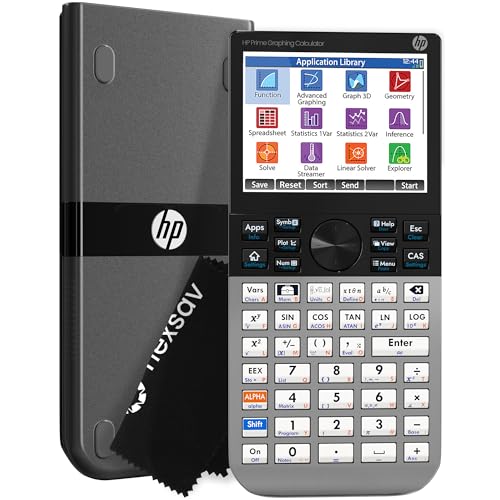
This is the calculator our team reaches for when we need something closer to a handheld computer than a scientific unit. The HP Prime G2 runs a full Computer Algebra System, which means it can manipulate symbolic math, not just crunch numbers.
The 3.5-inch multi-touch color display is the star of the show. You can pinch to zoom on graphs, drag functions around with your finger, and switch between symbolic, graphical, and numerical views using dedicated keys.
The brushed metal body feels premium and survives daily abuse better than plastic competitors. With 256 MB of flash memory, you can store programs, exam configurations, and reference images right on the device. A rechargeable lithium-ion battery keeps you off the battery-swap hamster wheel.
We found it exceptionally fast at everything, from plotting 3D surfaces to running dynamic geometry tasks. Engineering students tackling differential equations, linear algebra, or signal processing will feel right at home.
Key Specs:
- 3.5-inch multi-touch color display
- CAS, dynamic geometry, spreadsheet apps
- 256 MB flash memory
- Rechargeable lithium-ion battery
- Approved for SAT, PSAT, AP, and IB exams
- Touchscreen with full graphing capability
- CAS handles symbolic math like a computer program
- Premium brushed metal build
- Rechargeable battery
- Not permitted on the FE exam
The price reflects what you’re getting, but it’s overkill for some users. Our final pick strikes a different kind of balance.
5. Sharp EL-W516TBSL Advanced Scientific Calculator: The Underrated Powerhouse with 640 Functions

Sharp doesn’t get the same hype as TI or Casio in engineering circles, but the EL-W516TBSL quietly outpaces both brands on raw function count. You get 640 functions spread across seven modes: Normal, Stat, Drill, Complex, Matrix, List, and Equation.
The WriteView 4-line display renders fractions and equations as they look on paper, similar to Casio’s approach but with a wider 16-digit format. Conversions between improper fractions, mixed numbers, and decimals happen with a single button press.
A feature we genuinely love is the Home key. It instantly resets you to a clean calculation screen from anywhere in the menu system, which is a small detail that adds up over a long study session. You also get eight temporary memory slots plus three user-definable memory buttons for your most-used values.
Solar power with battery backup keeps it running through marathon homework sessions without surprise shutdowns.
Key Specs:
- 16-digit, 4-line WriteView LCD
- 640 functions across 7 modes
- 8 temporary and 3 definable memory buttons
- Solar with battery backup
- Matrix operations up to 4×4
- Highest function count among scientific calculators in this range
- Home key simplifies navigation
- Strong for number system conversions and programming prep
- Plastic build feels less premium than competitors
- Not as widely approved for standardized exams
That rounds out our five picks. Here’s the fast summary if you need to choose in a hurry.
Best Calculators for Engineering: A Quick Rundown
- Texas Instruments TI-36X Pro: Best overall for FE exam prep and non-graphing coursework.
- Casio fx-115ES Plus 2nd Edition: Best textbook-style display for clean, readable math.
- Helect 2-Line Engineering Scientific Calculator: Best budget pick for everyday basics.
- HP Prime G2 Graphing Calculator: Best premium choice for advanced graphing and CAS work.
- Sharp EL-W516TBSL: Best function count for power users who want maximum versatility.
Final Thoughts
The right engineering calculator depends on where you’re using it most. If exam approval matters, focus on non-graphing models with solid equation solvers and matrix support. If you’re doing heavy symbolic math or visualization work, a graphing unit with CAS pays for itself. For daily homework and quick calculations, a well-built scientific model with a clear multi-line display is usually all you need.
Think about your actual workload before you buy. Match the calculator to your budget, your exam rules, and the complexity of the math you face most often. The best calculator is the one you’ll grab without thinking, because it just works every time you pick it up.