Your HSC exams are high stakes, and the calculator sitting on your desk can make a real difference. Whether you’re working through complex integrals, matrix operations, or standard trig problems, having the right tool means less time fumbling with buttons and more time actually solving problems. The wrong calculator, though, can slow you down exactly when you can’t afford it.
We put together this guide specifically for HSC students who want a clear, no-nonsense answer: which calculators are actually worth your time and money? We researched each option carefully, looked at how they perform across the subjects that matter most in the HSC, and filtered out anything that doesn’t belong at an exam desk.
By the time you finish reading, you’ll know exactly which calculator fits your needs, your budget, and the specific demands of your coursework.
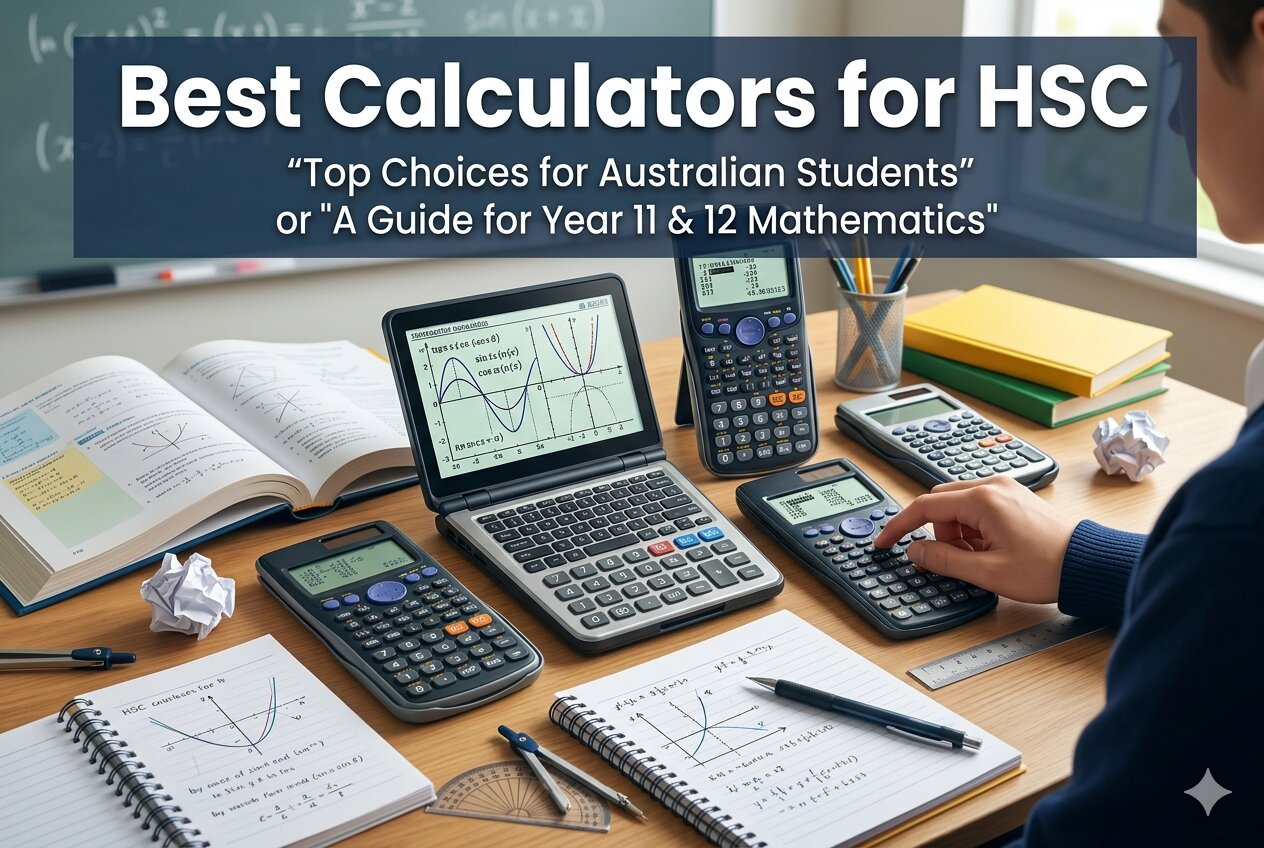 How We Selected the Best Calculators for HSC
Our team started by mapping out the types of calculations HSC students face across Mathematics Standard, Mathematics Advanced, Mathematics Extension, Sciences, and other STEM-related subjects. From there, we compared each calculator against a consistent set of criteria that matter in real exam and study conditions.
- Exam Approval: Whether the calculator is permitted in HSC and internationally recognized exams like the SAT, IB, AP, and PSAT.
- Function Depth: The breadth of built-in math functions, including calculus, statistics, matrix operations, and equation solvers.
- Display Quality: How clearly and intuitively the screen presents equations, fractions, and results during timed conditions.
- Power Reliability: Whether the calculator uses solar, battery, or a combination, and how dependable that power source is during long exam sessions.
- Ease of Use: How quickly a student can find and execute functions without extensive memorization of key sequences.
- Build Quality: Durability, key responsiveness, and portability for regular classroom and exam use.
- Value for Money: Whether the performance justifies the price for a student audience.
Every calculator on this list was chosen because it genuinely serves HSC students well. We didn’t pad the list with options that look good on paper but fall short under pressure.
Best Calculators for HSC (2026 Expert Review)
Here are five calculators that cover the full range of HSC needs, from students who want maximum power to those who just need something reliable and easy to carry. Each review below covers what makes the calculator worth considering and where it might fall short.
1. HP Prime G2 Graphing Calculator: Full Power for Advanced HSC Students
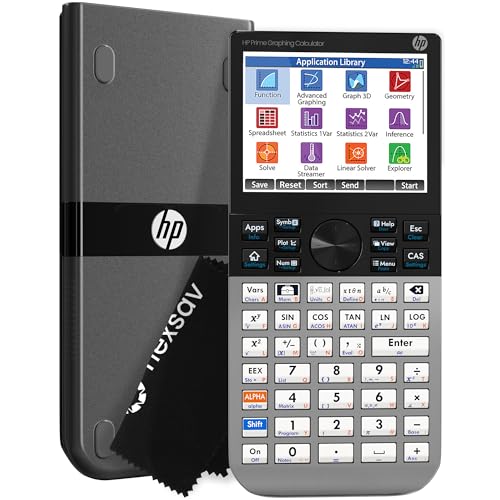
The HP Prime G2 is the most capable calculator on this list by a clear margin. It comes loaded with a Computer Algebra System (CAS) that lets you work with symbolic algebra, calculus, and advanced graphing in ways a standard scientific calculator simply cannot match. For Extension Mathematics and Physics students, this is as close to a professional math tool as you can carry into an exam room.
The 3.5-inch multi-touch color screen is genuinely impressive. You can pinch to zoom on graphs, interact directly with plotted functions using your finger, and switch between symbolic, graphical, and numerical views using dedicated keys. We found this makes checking work faster and more intuitive than hunting through menus.
Build quality is a standout feature here. The faceplate is brushed metal, the keys have a firm, quality feel, and the device has a satisfying density that communicates durability. It comes with a slide-on cover and a cloth, and it charges via a rechargeable lithium-ion battery, which means no scrambling for AAA batteries before exam day.
The HP Prime G2 is approved for PSAT/NMSQT, SAT, AP, and IB exams. Its 256MB of flash memory stores programs, exam configurations, and images, and it connects to an optional wireless kit for classroom use. This is the calculator for students who want the ceiling as high as possible.
Key Specs:
- Display: 3.5-inch multi-touch color LCD
- Memory: 256MB flash
- Calculator Type: Graphing with CAS
- Power: Rechargeable lithium-ion battery
- Dimensions: 7.25″ x 3.66″
- Full CAS with symbolic algebra, calculus, and dynamic geometry
- Multi-touch color display with pinch-to-zoom and graph interaction
- Premium brushed metal build with slide-on cover included
- Steeper learning curve for students unfamiliar with CAS calculators
- Highest price point on this list
2. Casio fx-991CW: The Feature-Packed Scientific Calculator for Serious HSC Prep

Few non-graphing calculators offer as much capability as the Casio fx-991CW. With 540+ functions covering numeric integration and differentiation, 4×4 matrix operations, vector calculations, inequality solving, and a spreadsheet-style data view, this calculator handles virtually every HSC math and science function you’ll encounter. It’s a powerhouse sitting inside a compact, lightweight body.
The high-resolution 4-tone LCD display is one of the best screens you’ll find on a scientific calculator. The quad-tone shading makes cursor tracking easier and gives equations a crisp, textbook-like appearance. Natural Textbook Display means fractions, roots, and symbols appear exactly as they do in your textbook, which reduces misreading under exam pressure.
Casio built the fx-991CW around solar power with battery backup, so you’re unlikely to ever run out of juice mid-exam. The rounded keys feel comfortable during extended sessions, and the included non-slip hard case protects it well in a school bag. The device also supports QR code scanning to graph results via ClassPad.net on your phone, which is a useful study tool outside the exam room.
We found the menu system takes some getting used to. Several functions are accessed through a catalog button rather than dedicated keys, which requires a few extra presses. That said, the underlying speed and accuracy of this calculator are exceptional.
Key Specs:
- Display: High-res 4-tone LCD, Natural Textbook Display
- Functions: 540+
- Power: Solar with battery backup (LR44 included)
- Calculator Type: Scientific/Engineering
- Dimensions: 6.3″ x 3″
- 540+ functions including calculus, matrices, and vectors
- Exceptional display quality with 4-tone shading
- Solar power with battery backup for reliable exam performance
- QR code integration for graphing on ClassPad.net
- Some functions require extra button presses through the catalog menu
3. Texas Instruments TI-30XS MultiView: The Trusted Classroom Standard

The TI-30XS MultiView has been a fixture in high school math classes for years, and for good reason. It strikes a practical balance between function depth and ease of use that makes it appealing for students who want something reliable without a steep learning curve. If your HSC subjects sit in the Standard Mathematics or general science tier, this calculator covers everything you need without overwhelming you.
What sets the TI-30XS apart is its four-line display and MathPrint mode. You can enter expressions exactly as they appear in your textbook, including stacked fractions, exponents, and square roots in their natural form. You can also scroll through previous entries and paste them into new calculations, which is genuinely useful for spotting errors quickly during an exam.
The physical design is sturdy and well-proportioned. The keys are responsive and well-spaced, making long calculation sessions comfortable. The snap-off cover stores conveniently on the back of the calculator, so you’re not losing it at the bottom of your bag. It runs on both solar and battery power, which adds an extra layer of reliability.
Key Specs:
- Display: 4-line LCD with MathPrint
- Calculator Type: Scientific/Engineering
- Power: Solar and battery
- Dimensions: 7.25″ x 3.38″
- Exam Approvals: SAT, MCAT, and various state licensing exams
- MathPrint mode for textbook-style equation entry
- Four-line display to compare results and scroll history
- Proven reliability across years of classroom use
- Fewer advanced functions than the Casio fx-991CW
- Some multi-step operations require more keystrokes than competing models
4. Casio fx-115ES Plus 2nd Edition: A Dependable All-Rounder at a Sharp Price

The Casio fx-115ES Plus 2nd Edition delivers more than 280 functions in a clean, compact package at a price point that won’t strain a student budget. It covers complex number calculations, matrix and vector operations, simultaneous and quadratic equation solving, summation, integration, and polar-rectangular conversions. That’s a wide range of capability for a calculator in this price bracket.
The Natural Textbook Display on the fx-115ES Plus shows fractions, equations, and results in the same format they appear in your textbook. The 16-digit, four-line LCD gives you enough visual space to follow expressions clearly. This is particularly helpful when working through multi-step calculus or statistics problems where misreading a step midway through is costly.
We found the Multi-Replay function particularly useful for study sessions. It lets you backtrack through calculations, edit expressions, and recalculate answers step-by-step. That kind of error-checking capability is exactly what you want when reviewing practice problems. The Solar Plus technology keeps the calculator running off light, with battery backup ready when conditions are dim.
One minor gripe: there’s no single-button shortcut to toggle between fixed-point and scientific notation, which can feel cumbersome compared to simpler calculators. That’s a small trade-off for everything else this calculator offers.
Key Specs:
- Display: 16-digit, 4-line LCD, Natural Textbook Display
- Functions: 280+
- Power: Solar Plus with battery backup (LR44 included)
- Calculator Type: Scientific/Engineering
- Dimensions: 9″ x 5.5″
- 280+ functions at an affordable price
- Natural Textbook Display for intuitive equation reading
- Multi-Replay function for step-by-step error checking
- No quick toggle between fixed-point and scientific notation
- Display can be harder to read at sharp angles in low light
5. Casio fx-300MS Plus 2nd Edition: The Budget-Friendly Pick for HSC Standard Courses

The Casio fx-300MS Plus 2nd Edition is the most affordable calculator on this list, and it earns its place by being genuinely capable for its intended audience. If you’re sitting HSC Mathematics Standard, general science courses, or just need a reliable backup calculator, this one gets the job done without any fuss. It covers trigonometric and inverse functions, hyperbolic functions, logarithms, factorials, probability, two-variable statistics, standard deviation, and regression analysis.
The 2-line, 10-digit LCD display is clear and easy to read from directly above, and the high contrast between characters and background makes the display dependable in most lighting conditions. You can view your input expression on the top line while the result sits on the bottom, which helps catch entry errors before you commit to an answer.
The physical build is slim and compact with an ergonomic key layout that feels natural to use. The included hard protective case snaps on securely, protecting the calculator in transit. Solar power with battery backup means you’re not hunting for batteries at inconvenient times, and the fraction key makes converting between improper fractions, mixed numbers, and decimals fast and painless.
This calculator is approved for AP, SAT, PSAT/NMSQT, and ACT exams. For students who need exam-compliant reliability at the lowest possible price point, the fx-300MS Plus 2nd Edition is a smart, no-compromise choice.
Key Specs:
- Display: 2-line, 10-digit LCD
- Calculator Type: Scientific/Engineering
- Power: Solar with battery backup (LR44 included)
- Dimensions: 6.4″ x 3″
- Exam Approvals: AP, SAT, PSAT/NMSQT, ACT
- Most affordable option on the list
- Exam-approved for AP, SAT, PSAT/NMSQT, and ACT
- Solar with battery backup for worry-free power
- 2-line display limits visibility of complex multi-step expressions
- Fewer advanced functions than the other Casio models on this list
Best Calculators for HSC: A Quick Rundown
- HP Prime G2: Best overall for advanced HSC students needing CAS, graphing, and premium build quality
- Casio fx-991CW: Best feature depth in a non-graphing scientific calculator, ideal for Extension Mathematics and Sciences
- Texas Instruments TI-30XS MultiView: Best for students who want a trusted, easy-to-use classroom standard with MathPrint display
- Casio fx-115ES Plus 2nd Edition: Best value for students needing strong scientific functions without breaking the budget
- Casio fx-300MS Plus 2nd Edition: Best budget pick for Standard Mathematics and general science HSC courses
Final Thoughts
Picking the right HSC calculator comes down to three things: the subjects you’re taking, the functions you actually need, and how much complexity you’re comfortable managing under exam pressure. A student sitting Extension Mathematics has very different requirements from one sitting Mathematics Standard, and the best calculator for one can be overkill or underpowered for the other. Match the tool to the task.
Whatever you choose, make sure you know it well before exam day. Spend time with the functions you’ll actually use, learn where the keys are without looking, and verify it’s approved for your specific exams. The right calculator, used confidently, is a genuine advantage.