Picking the right calculator for the SAT is more stressful than it should be. You’re already focused on studying, and the last thing you need is to show up on test day with a calculator that’s not approved, hard to use, or simply not up to the job.
The good news is that the right tool makes a real difference. A calculator you understand, trust, and can operate quickly under pressure gives you a genuine edge on the math section. The wrong one costs you time you can’t afford.
We spent time researching and comparing the top options on the market right now, from full graphing calculators to lean scientific models, so you can make a confident decision before test day. Here’s exactly what we found.
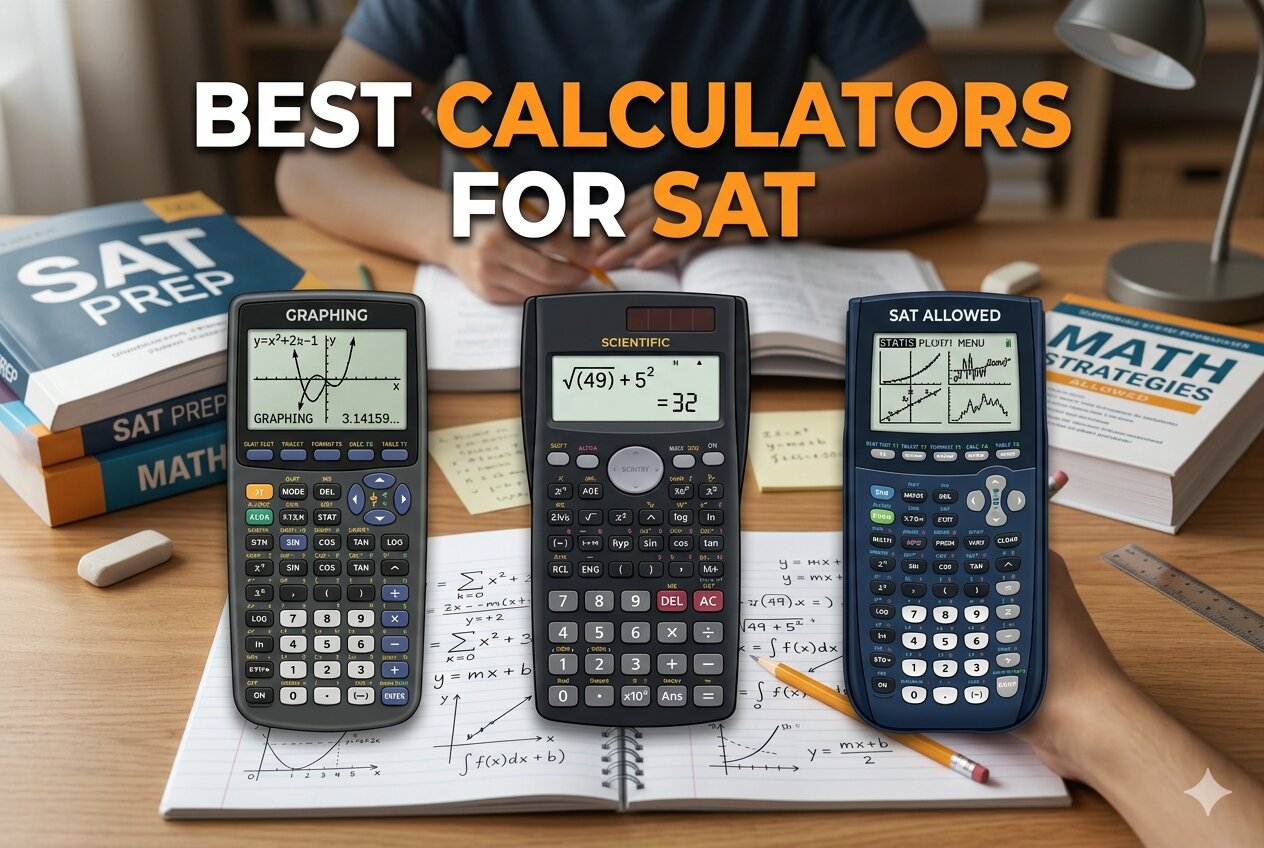 How We Selected the Best Calculators for SAT
We started by cross-referencing the College Board’s official approved calculator list, then narrowed down to devices that are genuinely useful in a timed, high-pressure test environment. From there, we evaluated each model against a set of factors that matter to real students preparing for the exam.
- SAT Approval Status: Only calculators confirmed as permitted for the SAT and PSAT/NMSQT made our list. Exam approval is non-negotiable.
- Display Clarity: The ability to read expressions clearly, especially fractions, exponents, and graphs, has a direct impact on accuracy and speed.
- Ease of Use Under Pressure: A calculator with a steep learning curve is a liability on test day. We weighted how quickly a first-time or occasional user can operate each model reliably.
- Function Coverage: The SAT tests algebra, advanced math, and data analysis. We confirmed that each calculator covers the relevant functions without unnecessary complexity.
- Battery Reliability: Running out of power mid-test is a nightmare. We looked at power sources, battery life, and whether solar backup was available.
- Build and Portability: A calculator needs to survive a school bag and sit comfortably on a small desk. Size, weight, and protective casing all matter.
- Value for Money: We compared what each calculator delivers relative to its price, particularly for students on tighter budgets.
Every pick on this list earned its place by performing well across these factors, not just one or two. The reviews ahead will show you exactly how each one stacks up.
Best Calculators for SAT (Expert Ranking & Review)
Below you’ll find detailed reviews of five calculators that cover every type of SAT test-taker, from the student who wants maximum graphing power to the one who just needs something reliable, affordable, and easy to use.
1. Texas Instruments TI-84 Plus CE: The Gold Standard for SAT Math

The TI-84 Plus CE has been the go-to graphing calculator for standardized tests for years, and it still earns that reputation. It’s fully approved for the SAT and PSAT/NMSQT, and its feature set maps almost perfectly to what the exam requires. If you want one calculator that handles everything from graphing functions to statistical analysis without any question of approval, this is it.
The high-resolution, full-color backlit display is a genuine upgrade over older models. You can graph multiple equations in different colors and read the screen clearly in any lighting condition. That kind of visual separation makes it much easier to interpret graphs quickly, which is exactly what you need when the clock is running.
Physically, the TI-84 Plus CE is about 30% lighter and thinner than earlier versions of the same calculator. It doesn’t feel fragile, though. The body holds up well through daily school use, and the slide cover protects the keypad and screen during transport. The rechargeable battery lasts up to a month on a single charge, so forgetting to plug it in the night before your test is not a crisis.
We found the MathPrint feature particularly valuable for SAT prep. It displays expressions exactly as they appear in a textbook, including stacked fractions and exponents, which helps you catch errors before you commit to an answer. The preloaded apps add further utility across algebra, statistics, and science courses.
Key Specs:
- Calculator Type: Graphing
- Display: 2.8-inch full-color backlit LCD
- Power: Rechargeable TI battery (up to 1 month per charge)
- Dimensions: 7.57″ x 3.4″
- Weight: 0.44 lbs
- Charging port: Mini-USB
- Fully SAT and PSAT/NMSQT approved
- Color display makes graphs easy to read and distinguish
- Rechargeable battery with excellent longevity
- MathPrint shows expressions in textbook format
- Uses Mini-USB charging port rather than USB-C
- Higher price point than non-graphing alternatives
2. Sharp EL-W535TGBBL: The Budget-Friendly Workhorse That Gets the Job Done

For students who want a dependable, SAT-approved scientific calculator without the cost of a full graphing model, the Sharp EL-W535TGBBL is hard to beat. It’s confirmed for use on the SAT and PSAT/NMSQT, packs 422 functions, and its WriteView display shows expressions exactly as they appear in a textbook.
The four-line LCD display is a real practical asset. You can see your full expression and your answer at the same time, which makes it much easier to catch input errors. WriteView shows fractions as fractions, exponents as exponents, and radicals in proper form. That alone removes a major source of confusion for students used to reading equations from a textbook.
One feature we found genuinely useful is the Home key. It resets the calculator back to a clean state from any screen. During a timed exam, there’s no faster way to clear a mistake and start fresh without losing your settings or accidentally staying in the wrong mode. It’s a small thing that adds up over the course of a two-hour test.
The calculator is twin-powered, running on solar with a battery backup, so battery anxiety simply isn’t a factor. At 0.2 lbs, it’s the lightest option on this list, and it comes with a hard case. The slightly mixed feedback on build quality is worth noting, but for the price, the Sharp EL-W535TGBBL delivers a level of functionality that outpaces its cost.
Key Specs:
- Calculator Type: Scientific
- Display: 4-line, 16-digit LCD with WriteView
- Functions: 422
- Power: Solar with battery backup (LR44)
- Dimensions: 6.4″ x 3.1″
- Weight: 0.2 lbs
- SAT and PSAT/NMSQT approved
- WriteView display mirrors textbook formatting
- Home key resets calculator to base mode instantly
- Solar-powered with battery backup
- No graphing capability
- Instructions can require supplemental research to navigate advanced modes
3. Texas Instruments TI-30XS MultiView: The Most Trusted Non-Graphing SAT Calculator

The TI-30XS MultiView occupies a unique and important spot in this lineup. It’s one of the most widely recommended calculators for the SAT specifically, not just because it’s approved, but because it covers exactly what the test demands without any extra complexity to slow you down.
Its four-line display is where it earns its name. You can see multiple calculations on screen at once, compare results side by side, and scroll back through previous entries. That last feature is especially handy on the SAT, where catching a computational error quickly can save you from a wrong answer you were actually confident about.
MathPrint mode shows calculations the way they appear in textbooks, including stacked fractions and exact square roots. There’s also a toggle key that switches between fraction and decimal representations in one press. For the type of algebra and data analysis the SAT focuses on, these features are immediately useful without requiring much setup or study.
The TI-30XS runs on both solar and battery power, so it’s reliable in any testing environment. It’s compact enough to fit in a pencil pocket in a binder, and at under $20, it represents exceptional value for what it offers. This is the calculator we’d recommend to a student who wants a trustworthy, no-frills option that was essentially built for exams like the SAT.
Key Specs:
- Calculator Type: Scientific
- Display: 4-line, 16-digit LCD with MathPrint
- Power: Solar and battery (CR 2032)
- Dimensions: 7.25″ x 3.38″
- Weight: 0.51 lbs
- Widely recommended specifically for the SAT
- MathPrint displays fractions and exponents in textbook form
- Multi-line display lets you compare and scroll through calculations
- Affordable price point
- No graphing functionality
- Battery compartment requires unscrewing the back panel to access
4. HP Prime G2: The Most Powerful Calculator on This List
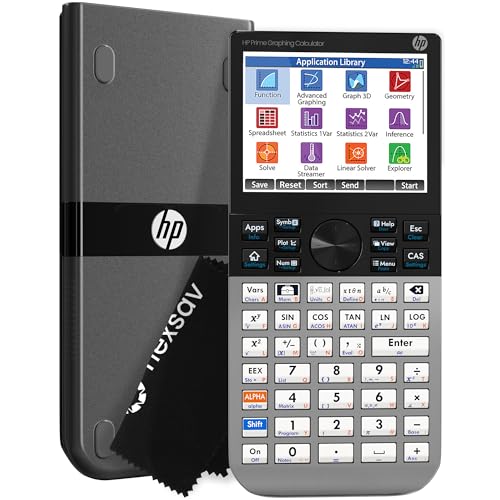
The HP Prime G2 sits at the top of the power spectrum among SAT-approved calculators. It’s approved for the PSAT/NMSQT and SAT, and it brings a level of capability that goes well beyond what most students will need for the test alone. That said, if you’re planning to use the same calculator through AP courses, IB, or college, this investment pays off fast.
The 3.5-inch multi-touch color display is the largest on this list, and the pinch-to-zoom and touch interaction make graph exploration feel intuitive in a way that button-only calculators simply can’t match. The Computer Algebra System (CAS) handles symbolic math, letting you work with expressions in exact algebraic form rather than just decimal approximations. For advanced math students, that’s a significant capability.
The build quality stands out. The faceplate is brushed metal, the buttons feel solid, and the device has a density and sturdiness that makes less expensive calculators feel flimsy by comparison. It ships with a slide-on cover and a cleaning cloth, and the rechargeable lithium-ion battery is the same standard used in many mobile devices.
The HP Prime G2 does have a learning curve. Its dual HOME and CAS modes, along with its touchscreen-driven menus, take some time to get comfortable with. But students who put in that time get access to a tool that functions, as one reviewer put it, like a pocket version of professional math software.
Key Specs:
- Calculator Type: Graphing with CAS
- Display: 3.5-inch multi-touch full-color LCD
- Memory: 256 MB flash
- Power: Rechargeable lithium-ion battery
- Dimensions: 7.25″ x 3.66″
- Enclosure: Brushed metal
- Most powerful SAT-approved calculator on this list
- Multi-touch display with pinch-to-zoom
- CAS handles symbolic and algebraic computation
- Approved for SAT, PSAT/NMSQT, IB, and select AP exams
- Steeper learning curve than other options
- Higher price point
5. CATIGA CS-229: The Budget Graphing Option for Visual Learners

The CATIGA CS-229 makes graphing accessible at a price that most students can justify without much debate. It supports plotting functions, displays graphs and formulas at the same time, and covers more than 360 functions across algebra, geometry, trigonometry, and statistics. For a student who wants to visualize math during their SAT prep without spending graphing calculator money, this is worth a serious look.
The 3.3-inch screen shows both your equation and its graph simultaneously, which helps you build the mental connection between an expression and its shape. That’s genuinely useful for the SAT’s advanced math section, where graph interpretation questions reward students who can move quickly between algebraic and visual representations.
The compact, 7 x 3.3-inch footprint feels comfortable in hand and fits easily in a backpack or pocket. It comes with a protective case, and CATIGA backs it with a 365-day warranty with 24-hour support response. The anti-drop body adds some reassurance for students who are hard on their gear.
We should be honest about its limitations: the display has received mixed feedback on scientific notation readability, and some users report it struggles to keep pace with fast typing input. The CATIGA CS-229 is not a replacement for a TI-84 or HP Prime in a demanding academic environment, but as a capable study tool and budget-friendly test companion, it fills its role well.
Key Specs:
- Calculator Type: Scientific and Graphing
- Display: 3.3-inch LCD
- Functions: 360+
- Power Source: Battery
- Dimensions: 7″ x 3.3″
- Warranty: 365 days
- Simultaneous graph and equation display
- Over 360 functions at a budget-friendly price
- Compact design with protective case included
- Scientific notation display can be unclear
- Input lag when typing quickly
Best Calculators for SAT: A Quick Rundown
- TI-84 Plus CE: Best overall graphing calculator for the SAT, full color display, rechargeable battery, and top-tier exam approval
- Sharp EL-W535TGBBL: Best value scientific calculator, WriteView display, solar-powered, and light enough to forget it’s in your bag
- TI-30XS MultiView: Best non-graphing SAT calculator, widely recommended for the exam specifically, and excellent for students who want simplicity
- HP Prime G2: Most powerful option, touchscreen CAS calculator for students who will carry it well past the SAT into college-level work
- CATIGA CS-229: Best budget graphing option, capable of visualization and 360+ functions at a price that’s hard to argue with
Final Thoughts
Choosing a calculator for the SAT really comes down to two questions: how much power do you actually need, and how long do you plan to keep using it? A student taking the SAT this spring and moving into AP-level or college coursework will get far more value out of a capable graphing model than someone who just needs something reliable and approved for one exam.
Whatever you choose, make sure you practice with it before test day. Even the best calculator in the world won’t help you if you’re hunting for the fraction key with three minutes left on the clock. Pick the right tool for your needs, get comfortable with it, and let the math speak for itself.